
Rota, POS time clock and staff training in one Shopify app.
Build the week’s rota, let staff clock in on Shopify POS with their own PIN, and train new starters with short lessons and quizzes. Approve the hours and export them as a payroll CSV.
Paid plans are one flat price per shop, from $12.99 a month for up to 15 staff, with no per-staff fees.
Free for up to 5 staff (training and announcements). The rota, POS time clock and payroll CSV start on Basic, with a 30-day free trial. See all plans
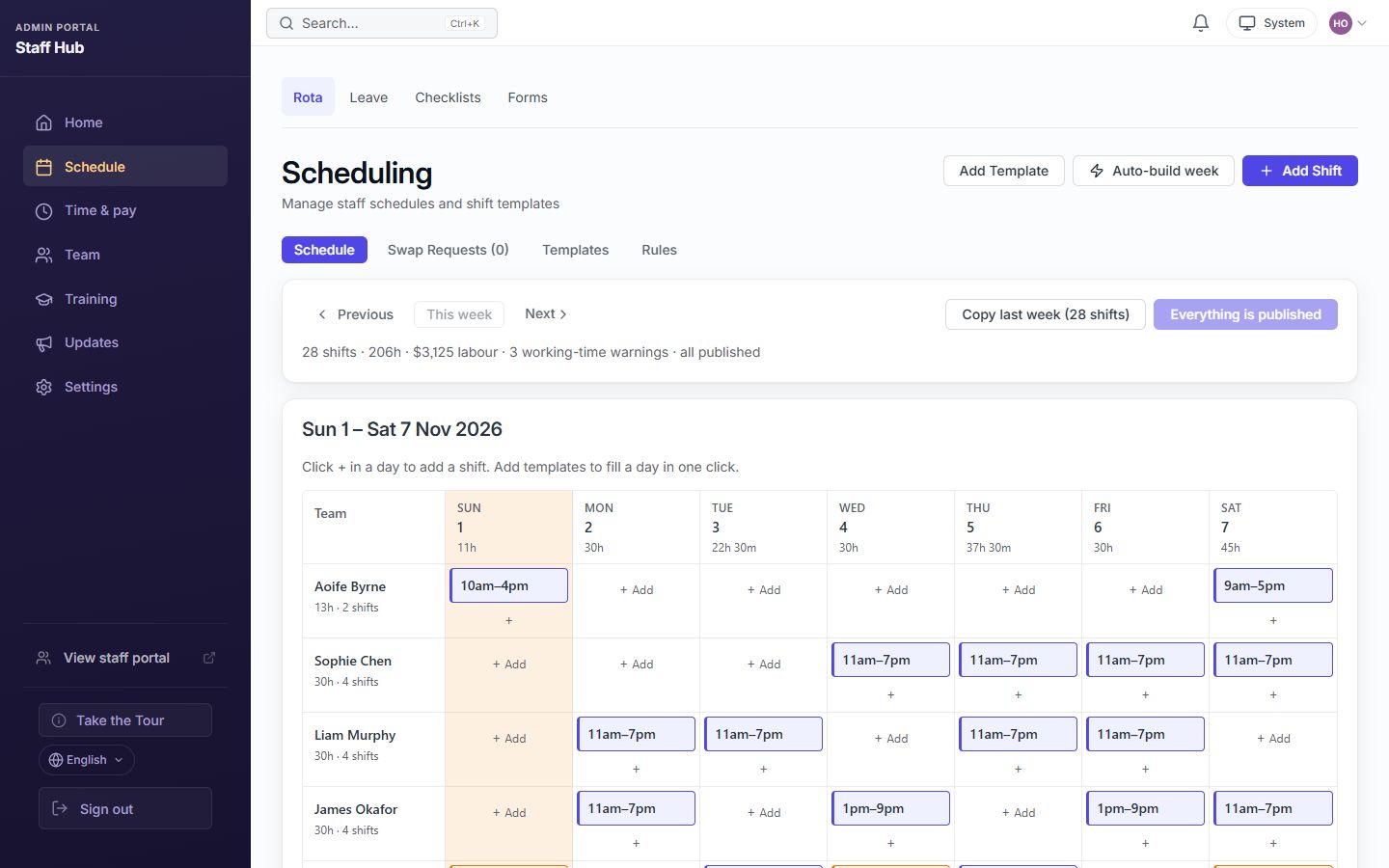
The Staff Hub rota, with fictional sample staff.
Everything a shop needs to run the week
Most staff apps do the rota or the training. Staff Hub does both, inside Shopify, and works out the hours for payroll.
A rota your team can see
Build the week from shift templates or copy last week. Staff Hub flags double bookings and time-off clashes, then sends the published rota to your team’s phones. How the rota works
Clock in on Shopify POS
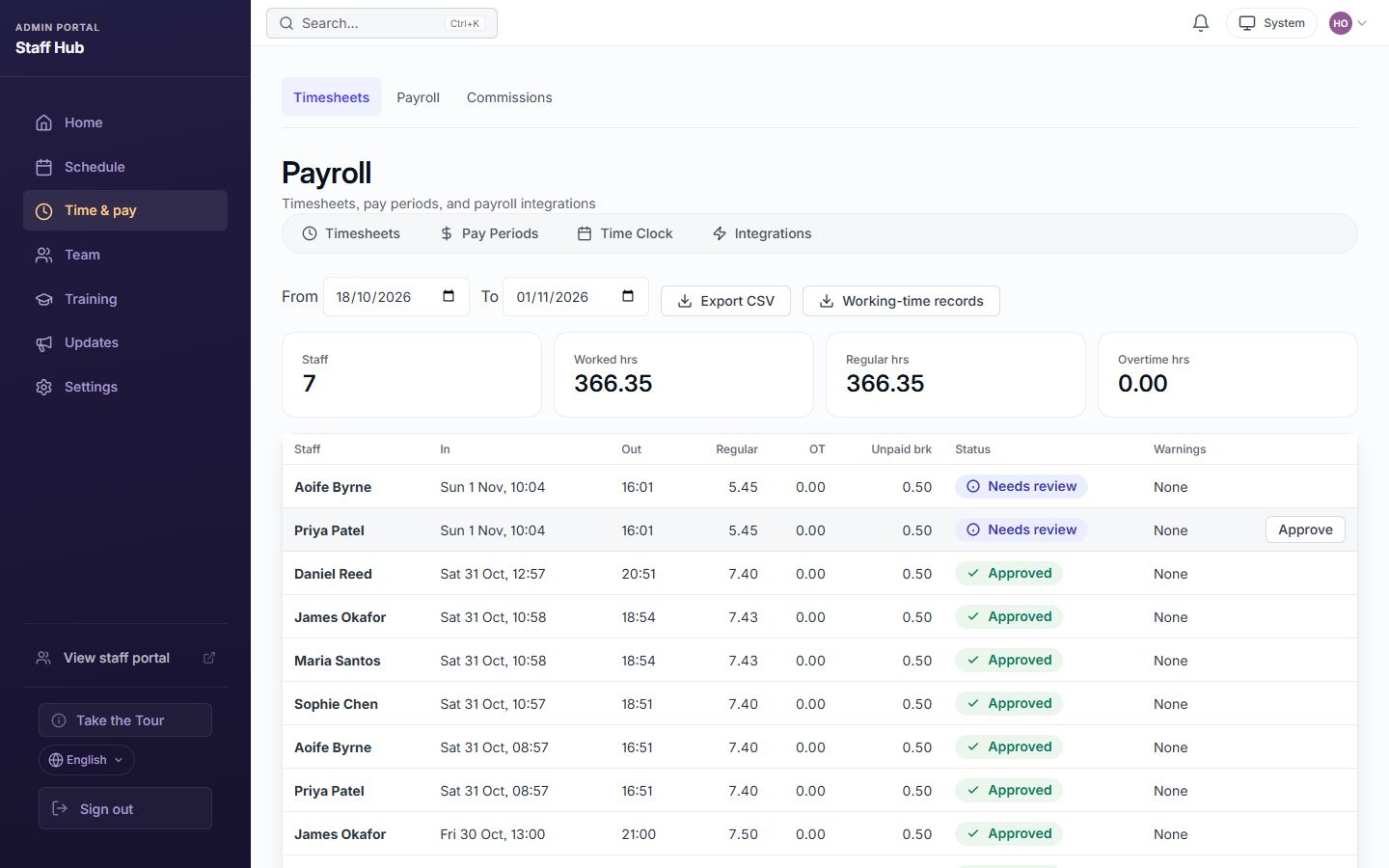
Staff clock in, take breaks and clock out on the POS with their own PIN. Managers see who is on the floor and approve time cards. An on-site GPS check for phone clock-ins is there if you want it. POS time clock guide
Hours ready for payroll
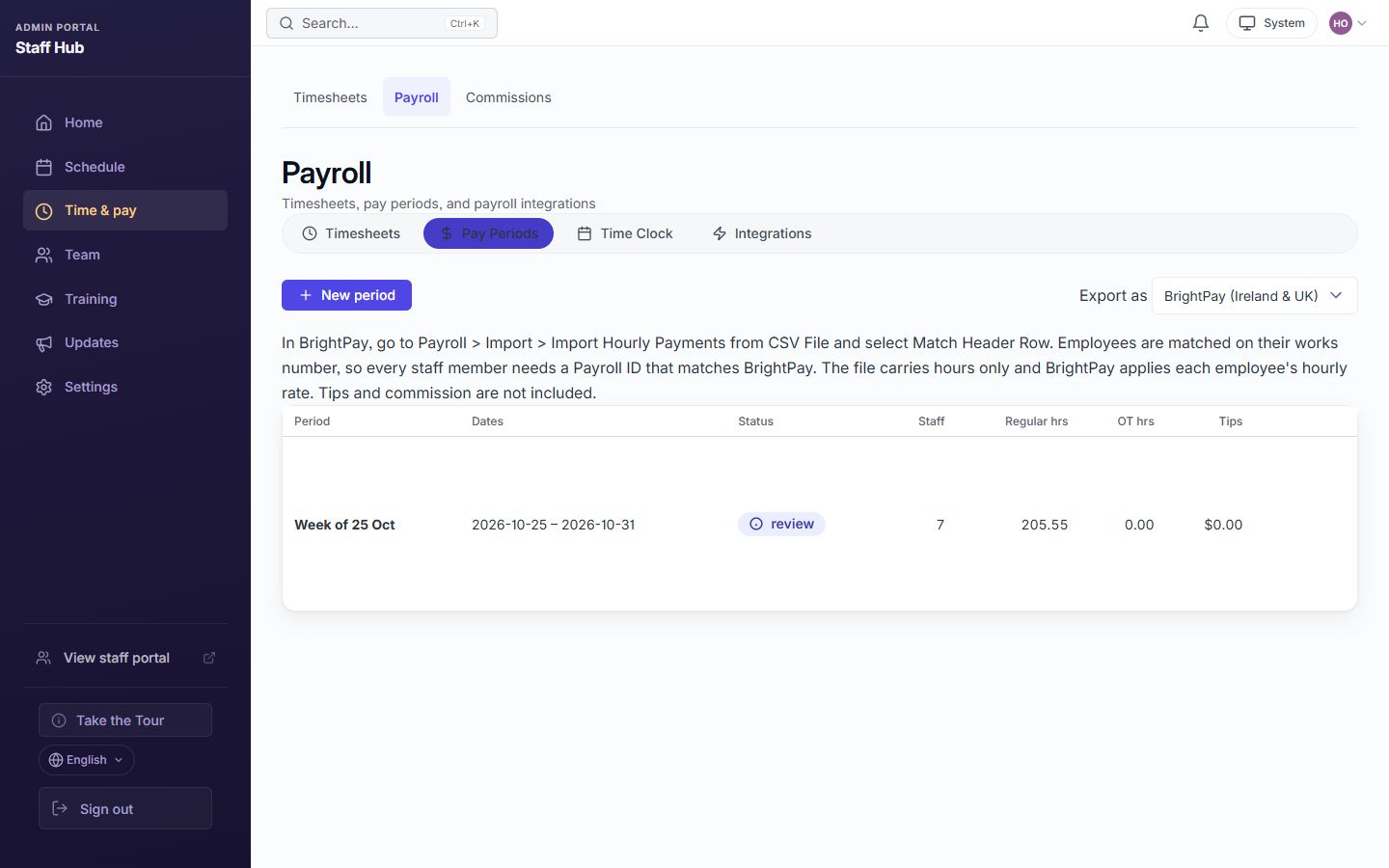
Export approved hours as a CSV for BrightPay, Sage 50 (UK and Ireland), QuickBooks, Gusto, ADP, Paychex or Rippling. Staff Hub does not run payroll or file tax. Payroll export guide
Wages as a % of sales
Staff Hub reads your Shopify sales and shows last week’s wage cost as a share of sales on your home page. Add hourly rates to see it.
Training that sticks
Lessons, quizzes and completion tracking, with ready-made retail modules to start from. Pro adds learning paths and certificates. Learning paths
Updates people actually read
Post an announcement and see who has read it, instead of wondering whether the group chat got it. How read receipts work
Working in the UK or Ireland?
Staff Hub helps you keep records. Export a working-time record (start and finish times, breaks and weekly hours) for any period, and get a warning when a rota is published or changed less than 24 hours before a shift. You stay responsible for meeting the law; Staff Hub keeps the records in one place.
From install to first clock-in
Most shops can do this in one sitting.
-
Install
Add Staff Hub from the Shopify App Store. Not on Shopify? Sign up at app.staffhubapp.com instead.
-
Add your staff
Invite staff by email, link or QR code and give each person a clock-in PIN. Staff don’t need a work email.
-
Publish the rota
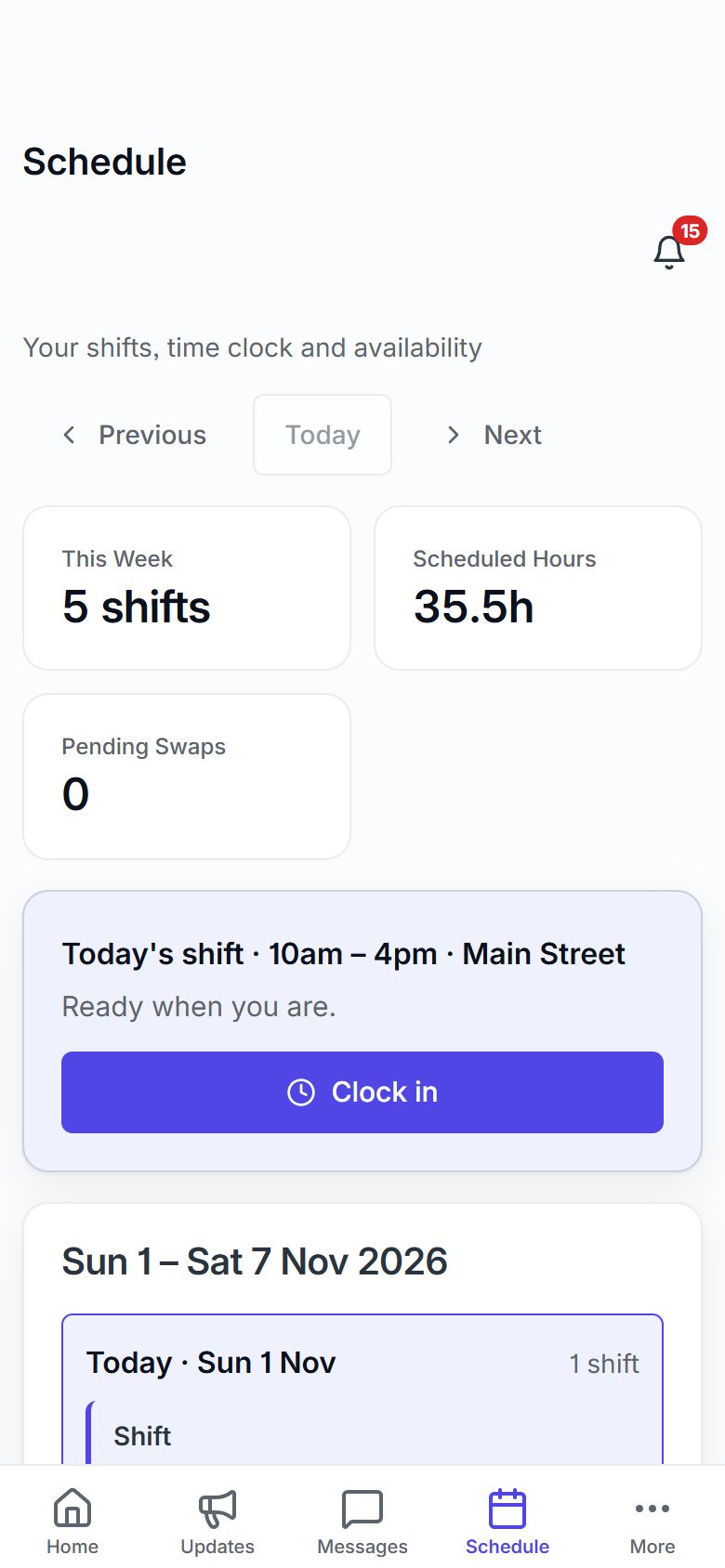
Copy a template week, fix any clashes Staff Hub flags, and publish. Staff see their shifts on their phone.
-
Clock in on POS
Add the Staff Hub tile to Shopify POS. Staff clock in with their PIN and you approve the hours at the end of the week.
See the rota, the clock and the hours
Real Staff Hub screens, filled with fictional sample staff.
See Staff Hub in Action
Explore the web workspace in short, captioned screenshot walkthroughs. Training, announcements and a clear place for your team to catch up.
Post an update. See exactly who read it.
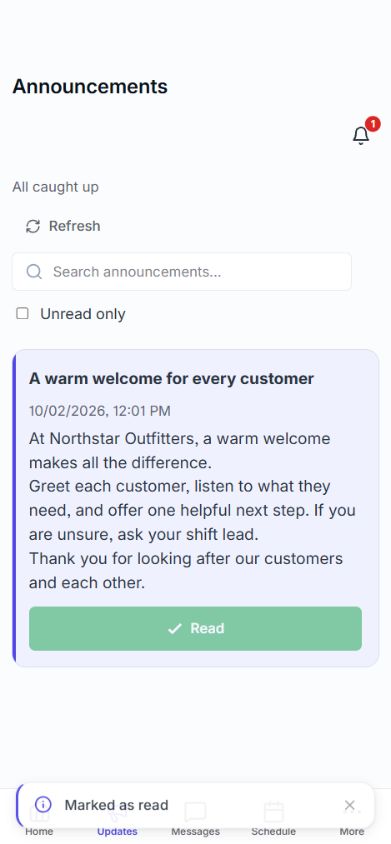
Every announcement shows a live read count — no more guessing whether the team saw the memo. When someone marks the update as read, their name ticks over to Read.
Coverage, not surveillance — you see who’s seen the important stuff, and nothing more.
Start With One Staff Update
A 24-second, captioned screenshot walkthrough: write an update, read it on mobile, and check the read receipt. Real web-app screens, fictional team data; no sound needed.
Read the video transcript
- Open Communication, then choose New announcement to write a clear update.
- Staff open Updates on their phone and tap Got it after reading.
- The manager sees who has read the published announcement.
Platform Overview
A 32-second, captioned screenshot tour of the manager and staff web workspaces, using fictional team data.
Read the video transcript
Keep announcements and read coverage together. Review a training template privately before publishing, manage training modules, and see updates and completed training in the staff workspace.
Training, Announcements & Mobile
A 24-second, captioned screenshot walkthrough from private training preparation to the mobile staff workspace.
Read the video transcript
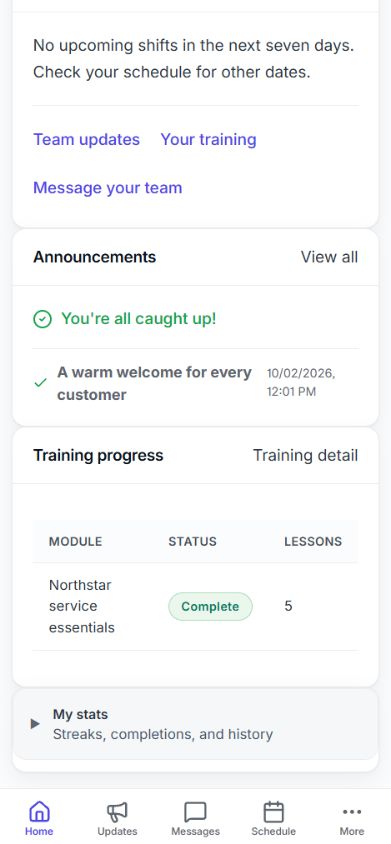
Prepare training privately and publish when ready. Staff can continue training on their phone. Completed training appears on their home page.
Everything in Staff Hub
Training, team updates and the day-to-day running of the shop floor, in one workspace. The plan cards below show which plan each feature starts on.
Training & Development
Build and deliver comprehensive training programs for your entire team.
Training Modules
Create structured courses with multiple lessons, rich text, images, and video content. Track completion and progress per staff member.
Learning Paths
Chain training modules into guided sequences for onboarding, role-specific development, or skill advancement programs.
Quiz Builder
Create custom assessments with multiple-choice, true/false, and open-ended questions. Auto-grade and track scores.
Document Library
Central repository for SOPs, handbooks, guides, and reference materials. Organized by categories with version control.
Communication & Engagement
Keep your team connected, informed, and engaged with powerful communication tools.
Announcements
Broadcast company-wide updates with read tracking. Pin important messages and schedule future announcements.
Tips & Best Practices
Crowdsource knowledge from your team. Staff share tips that help everyone succeed, with admin approval workflow.
Team Messaging
Real-time direct messages and group chats. Share files, coordinate tasks, and keep conversations organized.
Channels
Topic-based discussion channels for departments, projects, or interests. Keep conversations organized and searchable.
Polls & Surveys
Gather team feedback with quick polls and surveys. View real-time results and analytics to make data-driven decisions.
Activity Feed
A real-time stream of team activity including completions, achievements, announcements, and milestones.
Store Operations
The workforce basics, built in — POS time clock, scheduling, checklists, and manager review, in the same workspace as your training. Staff Hub exports payroll-ready hours; it isn't a statutory payroll processor.
POS Time Clock
Staff clock in and out at the register with a PIN, breaks are tracked, and managers get a live view. Timesheets export payroll-ready hours.
Staff Profiles & Roles
Maintain team records, assigned locations, permissions, POS role context, and staff profile data.
Store Checklists
Keep opening, closing, returns, and daily routines visible so staff know what needs to happen each shift.
Scheduling
Build and publish weekly schedules, project labor cost, notify staff automatically, and handle shift swaps — no more spreadsheets and group texts.
Time Off Management
Handle leave requests with approval workflows, balance tracking, and calendar integration.
Manager Review
Review completed items, staff updates, training status, and operational follow-up from one manager workspace.
Checklists & Manager Actions
Run store checklists, track completion, require manager reasons for corrections, and keep a clear operational audit trail.
Training Visibility & Recognition
Track training progress, announcement activity, recognition, and team health signals without losing sight of data controls.
Dashboard & Analytics
Comprehensive admin dashboard with training completion, announcement activity, training progress, and team health signals.
Badges & Recognition
Award achievement badges for training completion, milestones, and outstanding contributions. Create custom badges.
Leaderboard
Gamified leaderboard tracking points, streaks, and achievements. Motivate friendly competition among your team.
Sales & Commissions
Track sales-linked commissions for your team and export payroll-ready hours — reconcile the actual pay run in your payroll system of record.
Staff Mobile/PWA
Staff can access announcements, messages, tips, training, checklists, and notifications from mobile web and supported installable PWA flows.
Audit Logs
Complete audit trail of all actions for accountability, and security monitoring.
Start With One Staff Update Or Training Module
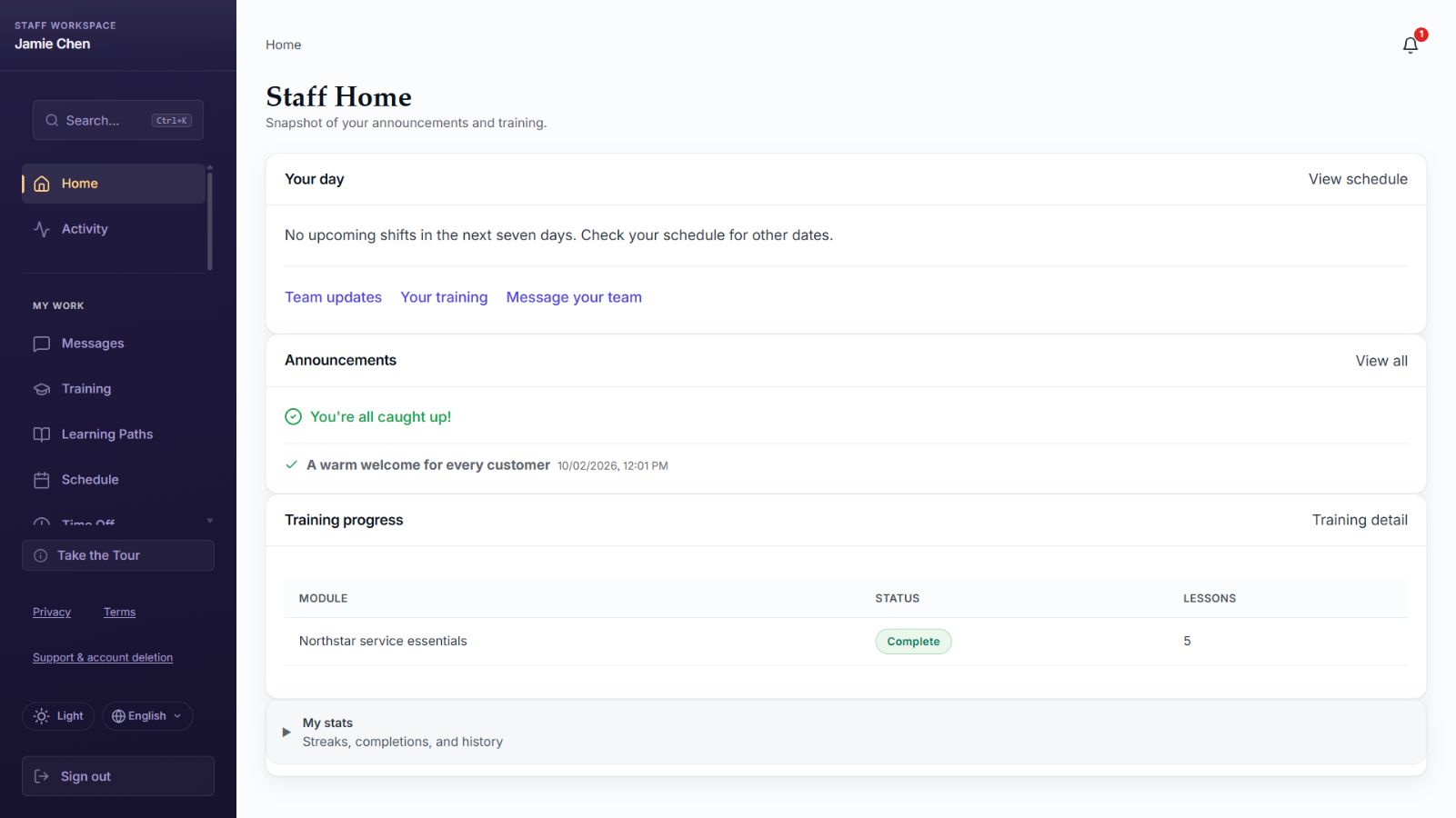
These screenshots show the standalone web workspace with fictional team data. Shopify merchants also have embedded admin tools; staff use the mobile-friendly workspace for updates and training.
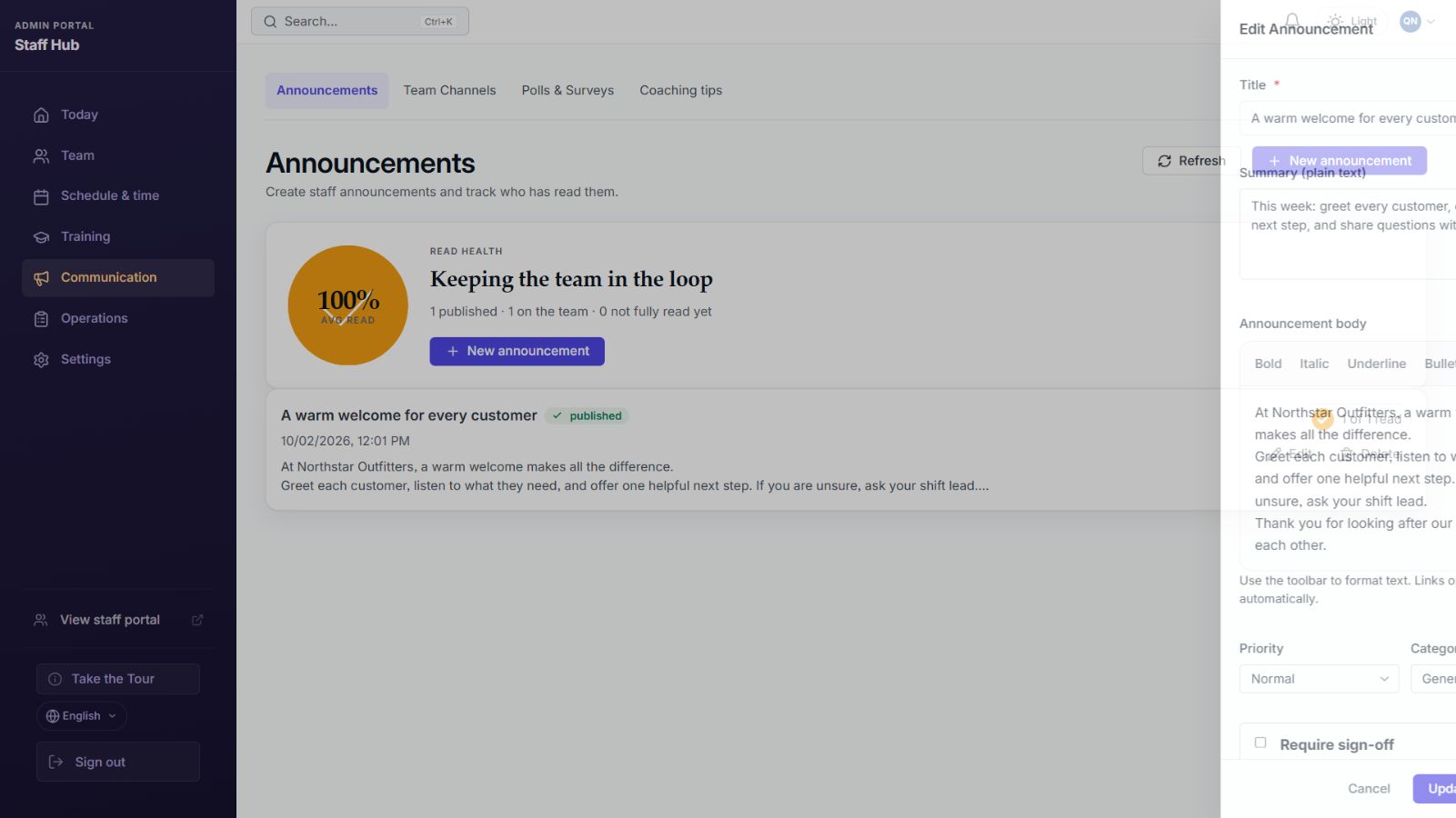 Publish a staff update
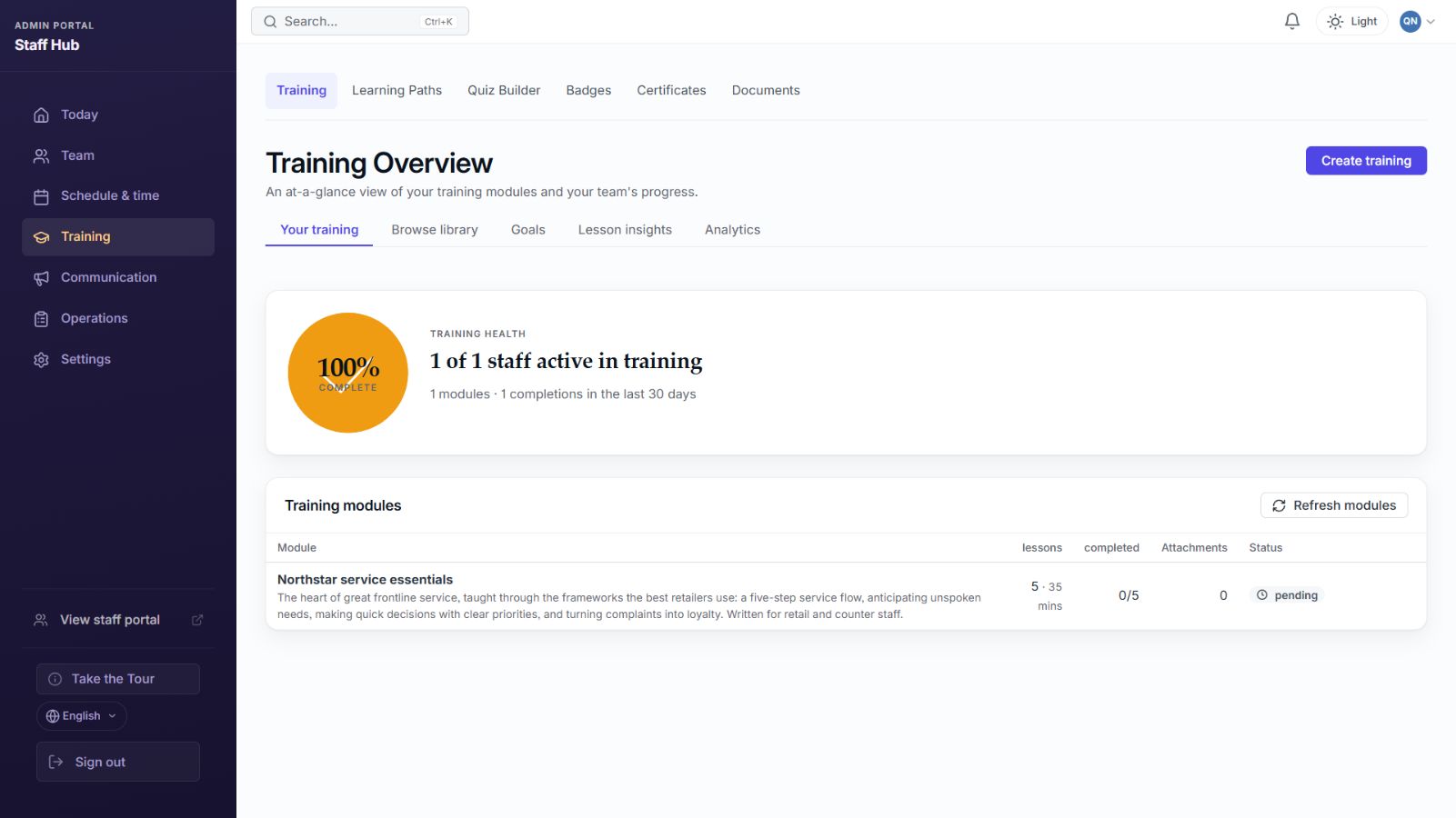 Create training modules
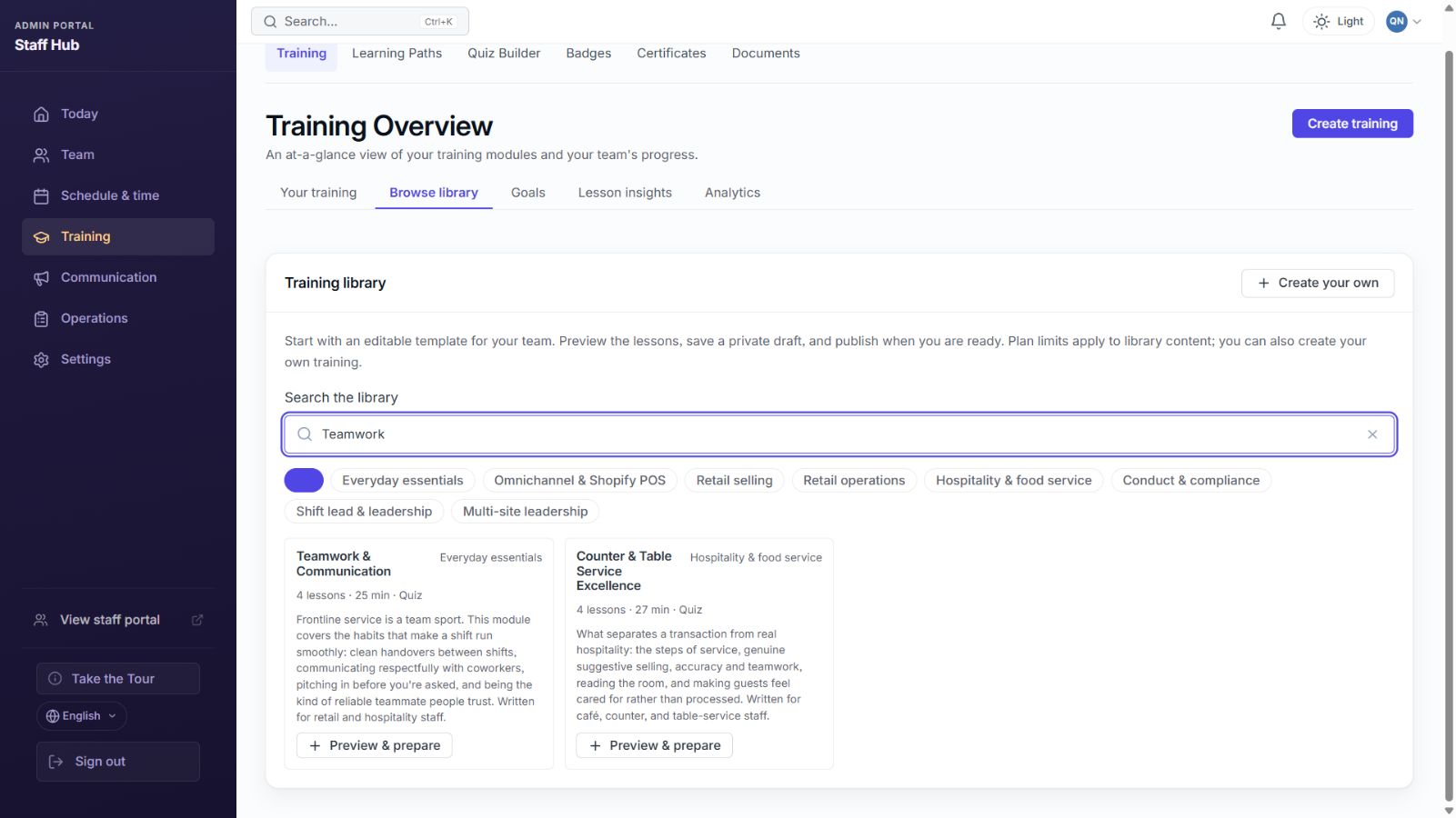 Review before publishing
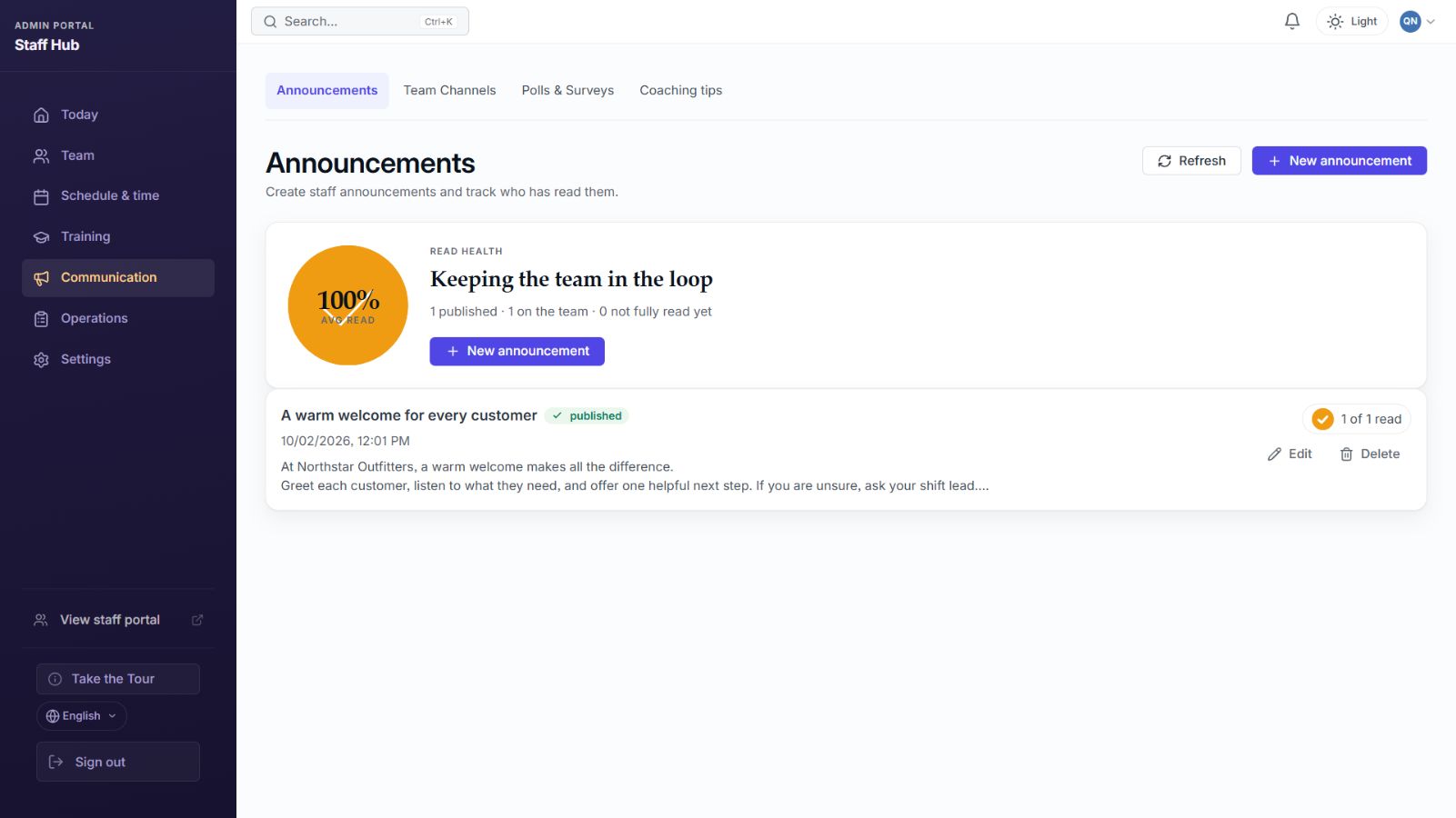 Track team announcements
For Shopify Retail Teams
Staff Hub is designed for the repeatable workflows retail managers and floor teams use every week.
English regional formats
US, UK, Canadian, Australian, and other English regional formats for dates, numbers, and currency — set per store.
Shopify Embedded + Retail-Friendly
Runs inside Shopify admin and supports practical retail team workflows for training, announcements, checklists, and manager review.
Guided Setup
Guides and in-app help walk managers through staff setup, announcements, training, onboarding, and mobile staff access.
Custom Branding
Add your logo, choose theme colors, and personalize the staff portal to match your brand identity.
Staff Mobile Access
Staff can use mobile web/PWA workflows for announcements, messages, tips, training, checklists, and notifications.
Secure & Accountable
TLS encryption, encrypted secrets, tenant-scoped data, GDPR webhooks, audit logging, and Shopify-managed billing for Shopify installs.
Make The First Rollout Easy For Staff
Start with one announcement or training module your team needs this week, then invite staff from one shared workspace.
No staff email needed
Invite your team by link or QR code. Staff can join without a work email.
Works on any phone
Staff read updates and confirm they've seen them from mobile web — no app-store download just to read an announcement.
Two taps to read
Open, read, done. If they can use WhatsApp, they can use Staff Hub — that's the whole point.
Read receipts are about coverage, not surveillance
You're confirming the important stuff landed — the safety notice, the policy change, the schedule update — so nothing slips through a group chat. It's accountability, not activity monitoring, and your team can see exactly what a read receipt is.
Still running your team on a WhatsApp group? See why a dedicated staff app beats it →
One flat price. No per-seat math.
Start free with up to 5 staff, no card needed. Every paid plan is one flat price per shop with no per-staff fees, and starts with a 30-day free trial. Prices are in US dollars.
Shopify merchant? See Staff Hub for Shopify, billed through your Shopify subscription →
Free
No credit card required
Announcements, read receipts and training for up to 5 staff
- Up to 5 staff members
- 8 ready-made training modules, each with a quiz
- Write unlimited training modules of your own
- Announcements with read receipts
- Training modules + completion tracking
- Mobile staff PWA
- 1 location
- 250MB storage
Basic
≈ $10.75/mo · 2 months free billed monthly
For small teams up to 15 staff
- Up to 15 staff members
- Everything in Free
- 29 ready-made training modules — Shopify POS & omnichannel, retail selling, shop-floor operations & hospitality
- Peer tips & recognition
- Team messaging & channels
- Rota with templates, clash checks and time off
- POS time clock with staff PINs and breaks
- Timesheets and payroll CSV export
- Working-time records export
- Opening and closing checklists
- Weekly labour cost as a % of sales
- Manager handover notes
- Activity feed & polls
- Audit logs
- 1 location
- 1GB storage
Pro
≈ $20.75/mo · 2 months free billed monthly
For multi-location teams up to 50 staff
- Up to 50 staff members
- Everything in Basic
- 41 ready-made training modules — adds conduct & compliance, hiring and shift-lead training
- 9 ready-made learning paths with certificates
- Multi-location dashboards & per-shop roles
- Build your own learning paths & certificates
- Document library & org chart
- Onboarding progress & manager notes
- Skills matrix
- Advanced analytics & exports
- Survey and feedback summaries
- Draft rotas from your sales history (needs 8 weeks of sales)
- Sales commissions, including on POS Lite
- Custom forms for store operations
- 5GB storage
Enterprise
≈ $41.58/mo · 2 months free billed monthly
For unlimited staff & multi-location
- Unlimited staff members
- Everything in Pro
- 47 ready-made training modules + 10 learning paths — adds the multi-site leadership track
- Scoped API keys & webhooks
- Priority email support
- 20GB storage
The Free plan has no time limit and needs no credit card. Paid plans include a 30-day free trial; billing is handled through Shopify when you install from the App Store, or through your Staff Hub account when you sign up on the web.
Common questions
Short answers to what shop owners ask first. See all FAQs
Does Staff Hub work with Shopify POS?
Yes. Staff Hub adds a tile to Shopify POS. Staff clock in, start and end breaks, and clock out with their own PIN, and managers approve the hours. The POS time clock is on the Basic plan and above.
Is the price per staff member?
No. Each plan is one flat price per shop. Basic is $12.99 a month for up to 15 staff, Pro is $24.99 for up to 50, and Enterprise is $49.99 with no staff limit. Paying yearly costs $129, $249 or $499.
Is there a free plan?
Yes. The Free plan costs $0 with no time limit and covers up to 5 staff, with announcements, read receipts and training. The rota, POS time clock and payroll export start on Basic. Every paid plan starts with a 30-day free trial.
Does Staff Hub run payroll?
No. Staff Hub works out the hours and exports them as a CSV for BrightPay, Sage 50 (UK and Ireland), QuickBooks, Gusto, ADP, Paychex or Rippling. Your payroll software pays people and files tax.
Does it help with working-time records in the UK and Ireland?
Staff Hub helps you keep records. You can export a working-time record with start and finish times, breaks and weekly hours, and Staff Hub warns you when a rota is published or changed less than 24 hours before a shift. Meeting the law is still your responsibility.
Do I need a Shopify store to use Staff Hub?
No. Staff Hub runs inside Shopify and also as a web app at app.staffhubapp.com. On Shopify, billing goes through your Shopify invoice. On the web, you pay by card.
Is this Microsoft StaffHub?
No. Microsoft StaffHub was a different product that Microsoft closed in 2020. Staff Hub is a rota, time clock and staff training app for shops, made by JMS Dev Lab.
How is my data protected?
Each shop's data is kept separate at the database layer, secrets are encrypted with AES-256-GCM and all traffic uses TLS. Staff Hub handles Shopify's GDPR data request and deletion webhooks.
Put the rota, the clock and the training in one place
Install from the Shopify App Store and try every paid feature free for 30 days. Not on Shopify? Start on the web.